MHIP — Operator How-To Guide
Internal ops tool for Corey Williams ("Corey the Server Guy") — sources hosting deals with spare IPs and resells capacity to MailerClub. This guide walks through everything from first-time setup to daily ops, covering the dashboard, the encrypted credential vault, and the autonomous CRM-update agent that watches Corey's AOL inbox and keeps the database in sync without human attention.
Audience: the operator (you). Read time: ~15 minutes. Mental model: the platform is your staff. The agents fetch, classify, and update; you review and approve.
Table of Contents
- Architecture at a Glance
- First-Time Setup
- The Vault — Storing Secrets Safely
- Wiring the AOL Inbox
- The Auto-Update Agent (Background Worker)
- Daily Ops Walkthrough
- Importing the Legacy Spreadsheet
- Adding Servers and IP Blocks
- API Reference (Quick)
- Troubleshooting
- Appendix — Cron Schedule
1. Architecture at a Glance
Three processes run side by side:
| Process | Port | Purpose |
|---|---|---|
FastAPI (uvicorn app.main:app) | 8000 | REST API — providers, servers, inbox, agents |
Next.js dashboard (next dev) | 3000 | Web UI |
arq worker (arq app.workers.settings.WorkerSettings) | — | Background agents on cron |
Plus two infra containers (infra/docker-compose.yml):
| Container | Port | Purpose |
|---|---|---|
| Postgres 16 + pgvector | 15432 | Primary store |
| Redis 7 | 6399 | arq job queue + cache |
The auto-update agent is the arq worker. It wakes up every 5 minutes to poll Corey's AOL inbox, every 15 minutes to ping provider billing panels, and once a day at 09:00 to sweep for expiring servers. See §5 and §11.
┌──────────────┐    poll    ┌──────────────┐    write    ┌──────────────┐
│  AOL Inbox   │ ─────────► │  arq worker  │ ──────────► │  Postgres    │
│  (IMAP IDLE) │            │  (5 min)     │             │              │
└──────────────┘            └──────────────┘             └──────────────┘
                                                                │
   ┌──────────────┐                                              │
   │  Web UI      │ ◄────── REST ────────── FastAPI ◄────────────┘
   │  (Next.js)   │                          API
   └──────────────┘
2. First-Time Setup
Skip ahead if your repo is already running — start the servers (§2.4) and jump to §4.
2.1 Prerequisites
- Linux (this guide assumes Ubuntu 24.04)
- Docker + docker compose
- Node ≥ 20
- Python ≥ 3.11
2.2 Clone and configure
cd /opt/hosting-crm
cp .env.example .env
# .env is gitignored — safe to keep secrets here, but vault-stored is preferred
2.3 Bring up Postgres and Redis
docker compose -f infra/docker-compose.yml up -d
docker ps --format '{{.Names}} {{.Status}}'
# expect: infra-postgres-1 Up (healthy)   infra-redis-1 Up (healthy)
2.4 Install and run
# API
cd apps/api
python -m venv .venv && source .venv/bin/activate
pip install -e ".[dev]"
alembic upgrade head
uvicorn app.main:app --host 127.0.0.1 --port 8000 &

# Web (new terminal)
cd ../..
npm install
npm run dev --workspace=web &

# Worker — the auto-update agent (new terminal)
cd apps/api && source .venv/bin/activate
arq app.workers.settings.WorkerSettings &
Visit:
- Dashboard: http://localhost:3000
- API docs: http://localhost:8000/docs
3. The Vault — Storing Secrets Safely
Every credential the platform handles — AOL app password, provider billing panel passwords,
SSH private keys — lives in a Fernet-encrypted file under vault/. A symmetric master key
unlocks them. Without that key, the encrypted blobs are unreadable.
3.1 Initialize the vault (run once)
cd /opt/hosting-crm/apps/api
source .venv/bin/activate
python -m app.vault.setup init
# → Master key created at /opt/hosting-crm/vault/.master.key
# → Back this file up. Without it, all stored secrets become unrecoverable.
Back up
vault/.master.keyimmediately. Off-machine, encrypted, somewhere you trust. Losing it means you cannot decrypt anything stored from then on.
3.2 Store the AOL app password
python -m app.vault.setup put aol/imap-password
# Secret for 'aol/imap-password': ********
# → stored: aol/imap-password
The terminal hides the input (Python getpass), nothing lands in your shell history, and the
encrypted blob ends up at vault/aol/imap-password.enc with mode 0600.
3.3 Verify
python -m app.vault.setup list
# aol/imap-password

python -m app.vault.setup get aol/imap-password
# (prints the plaintext — useful for sanity checks; every read is logged in the
#  vault_access_log table)
3.4 Store provider panel passwords
For every provider you give the agent login access to:
python -m app.vault.setup put providers/oneprovider/billing
python -m app.vault.setup put providers/hudsonvalley/billing
python -m app.vault.setup put providers/budgetvm/billing
Then on each Server record, set panel_password_vault_ref = "providers/oneprovider/billing"
(via PATCH /servers/{id}). The future Playwright agent uses these refs to log in.
Every decrypt writes a row to vault_access_log so you can audit who read what and when.
4. Wiring the AOL Inbox
4.1 Get an AOL app password
AOL no longer accepts the account password for IMAP. You need an app password.
- Sign in at https://login.aol.com.
- Go to Account Security → Generate app password.
- Name it (e.g.
mhip-imap) and copy the 16-character string. It is shown once.
4.2 Store it in the vault (do not paste into shell or .env)
python -m app.vault.setup put aol/imap-password
4.3 Confirm .env points at the right ref
IMAP_HOST=imap.aol.com
IMAP_USER=coreytheserverguy@aol.com
IMAP_PASSWORD=
IMAP_PASSWORD_VAULT_REF=aol/imap-password
IMAP_FOLDER=INBOX
If IMAP_PASSWORD is set, it wins; otherwise the agent decrypts the vault ref. Keep
IMAP_PASSWORD empty in production so rotation is a one-line vault re-put.
4.4 Manual smoke test
curl -X POST http://127.0.0.1:8000/agents/email/poll | jq
# {
#   "status": "ok",
#   "seen": 23,
#   "inserted": 5,
#   "by_class": {"OTHER": 18, "BILLING_INVOICE": 3, "SUSPENSION_NOTICE": 2}
# }
If you see "status": "skipped", "reason": "IMAP not configured", the agent could not
resolve a password — recheck §3.2 and the env vars.
If you see an imaplib.IMAP4.error: AUTHENTICATIONFAILED, the app password was rejected —
generate a fresh one (§4.1).
5. The Auto-Update Agent (Background Worker)
This is the piece that constantly updates new changes to the CRM. It is the arq worker
running app.workers.settings.WorkerSettings.
5.1 What it does
Every wake-up tick the worker runs one of four jobs:
| Job | Schedule | Effect |
|---|---|---|
inbox_tick | Every 5 min | Poll AOL → classify → persist → update CRM |
monitoring_tick | Every 15 min | HEAD each provider's billing URL, alert on failure |
sourcing_tick | Every 6 hours | (placeholder for LowEndTalk / WHT crawl) |
expiration_sweep | Daily 09:00 | Slack-alert all servers expiring or invoicing in ≤ 7 days |
5.2 Inbox classification → CRM updates
When inbox_tick runs, every new message gets:
- Classified into one of:
SUSPENSION_NOTICE | ABUSE_COMPLAINT | BILLING_INVOICE | SERVER_READY | ACCOUNT_CREATED | TICKET_RESPONSE | OTHER - Linked to a provider via the sender's domain (best-effort substring match against
providers.websiteandproviders.billing_url, then a name token fallback). - Persisted to the
inbox_messagestable (deduped byMessage-Id). - Side effects applied:
SUSPENSION_NOTICE→ flips everyACTIVEserver at that provider toSUSPENDED, bumpsProvider.suspension_count, logs toprovider_history.ABUSE_COMPLAINT→ bumpsProvider.abuse_count, logs to history.BILLING_INVOICE/SERVER_READY/ACCOUNT_CREATED/TICKET_RESPONSE→ touchesProvider.last_touch_at, logs to history.
This means: when OneProvider emails Corey at 03:14 AM saying his account was suspended, by 03:19 AM the dashboard reflects it. He wakes up to the truth.
5.3 Run / inspect the worker
# Run in a terminal you can watch
cd /opt/hosting-crm/apps/api && source .venv/bin/activate
arq app.workers.settings.WorkerSettings
# 09:55:00: Starting worker for 4 functions
# 10:00:00: 0a3f… inbox_tick() → {'status':'ok','seen':12,'inserted':2,'by_class':{...}}
# 10:00:00: 9e21… monitoring_tick() → 47 providers checked, 1 alert
To run it as a daemon, drop a systemd unit (suggested template):
# /etc/systemd/system/mhip-worker.service
[Unit]
Description=MHIP background agent (arq worker)
After=network.target

[Service]
Type=simple
WorkingDirectory=/opt/hosting-crm/apps/api
EnvironmentFile=/opt/hosting-crm/.env
ExecStart=/opt/hosting-crm/apps/api/.venv/bin/arq app.workers.settings.WorkerSettings
Restart=always
User=lio

[Install]
WantedBy=multi-user.target
Then sudo systemctl enable --now mhip-worker.service.
5.4 Inspect what the agent has been doing
# Counts per classification
curl -s http://127.0.0.1:8000/inbox/summary | jq
# { "total": 412, "by_class": {"OTHER":350,"BILLING_INVOICE":40,"SUSPENSION_NOTICE":3,...},
#   "last_received_at": "2026-04-30T08:14:22+00:00" }

# Recent suspensions only
curl -s "http://127.0.0.1:8000/inbox?classification=SUSPENSION_NOTICE&limit=20" | jq
6. Daily Ops Walkthrough
6.0 The Dashboard
http://localhost:3000/ (or https://hosting.mailerclub.club/) is the operator's landing
page — what's broken, what's expiring, what just happened. Open this between other tasks
to know in 10 seconds whether anything needs your attention.
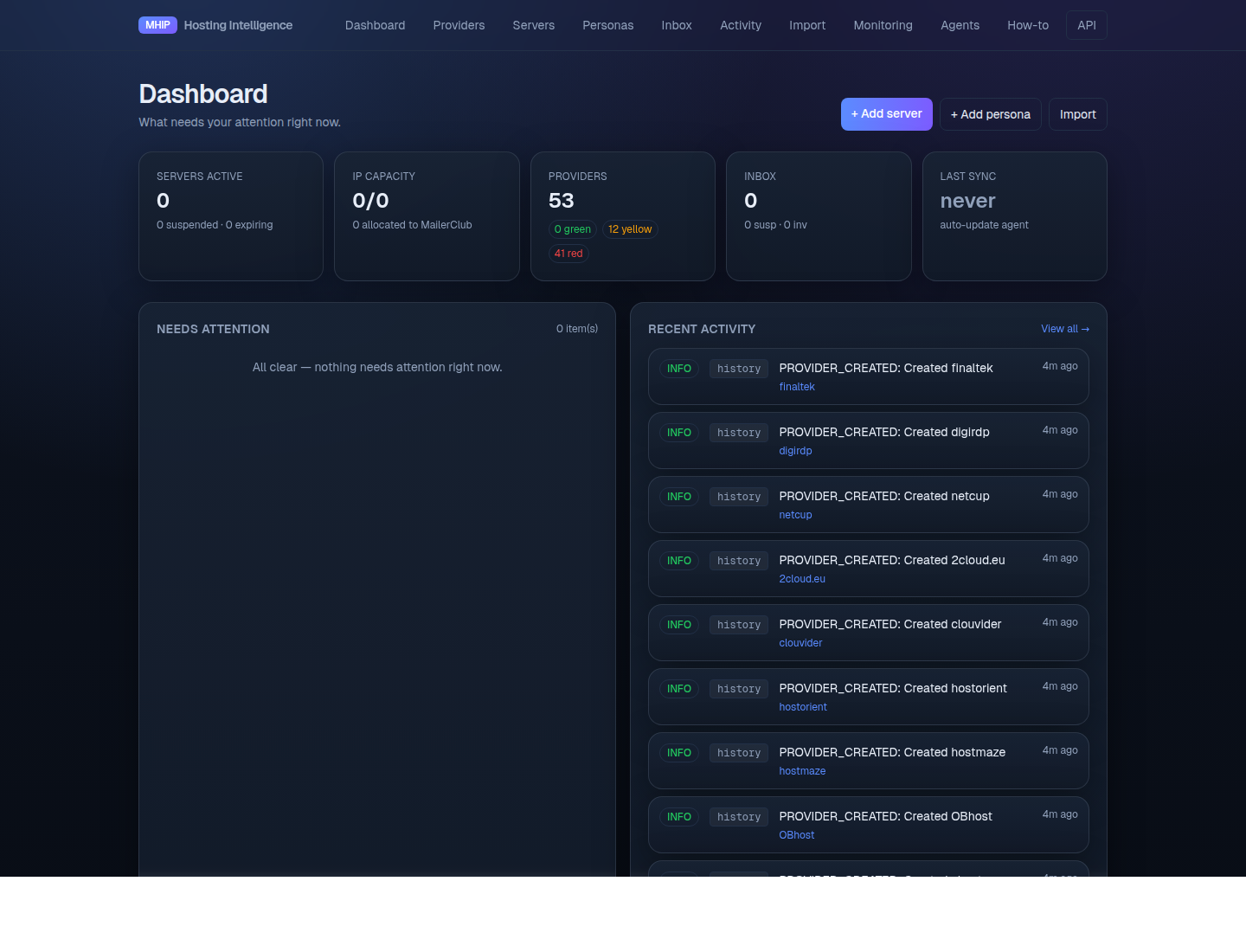
Five KPI cards across the top, all clickable:
- Servers active — count of
ACTIVEservers; secondary line shows suspended count and servers expiring within 7 days - IP capacity —
available / totalIPv4 hosts across non-retired blocks; secondary line shows how many are allocated to MailerClub - Providers — total count with a per-tier breakdown (
green / yellow / red) - Inbox — total classified messages, with suspension and invoice counts highlighted
- Last sync — heartbeat for the auto-update agent. Green if < 10 min, amber if
< 1 h, red otherwise. If this goes red, the inbox poller has stalled — check
arqlogs and the AOL credentials.
Below the KPIs, two columns:
- Needs attention — a single prioritized queue (max 10 items). Pulls from suspension
inbox notices (
CRITICAL), servers expiring or invoicing within 7 days (WARNING), and recent IP-block flags. Click an item to jump to the relevant detail page. Empty? You see "All clear — nothing needs attention right now." - Recent activity — top 12 from the activity timeline, with a View all → link.
A full-width Recent inbox strip below shows the last 5 classified messages.
Top-right of the dashboard: quick actions for + Add server, + Add persona, and Import.
6.1 The Providers page
http://localhost:3000/providers is the canonical provider list — what replaces the
spreadsheet's "Hosting" tab. Each row links to a detail page with notes, history, technical
specs, and score breakdown.
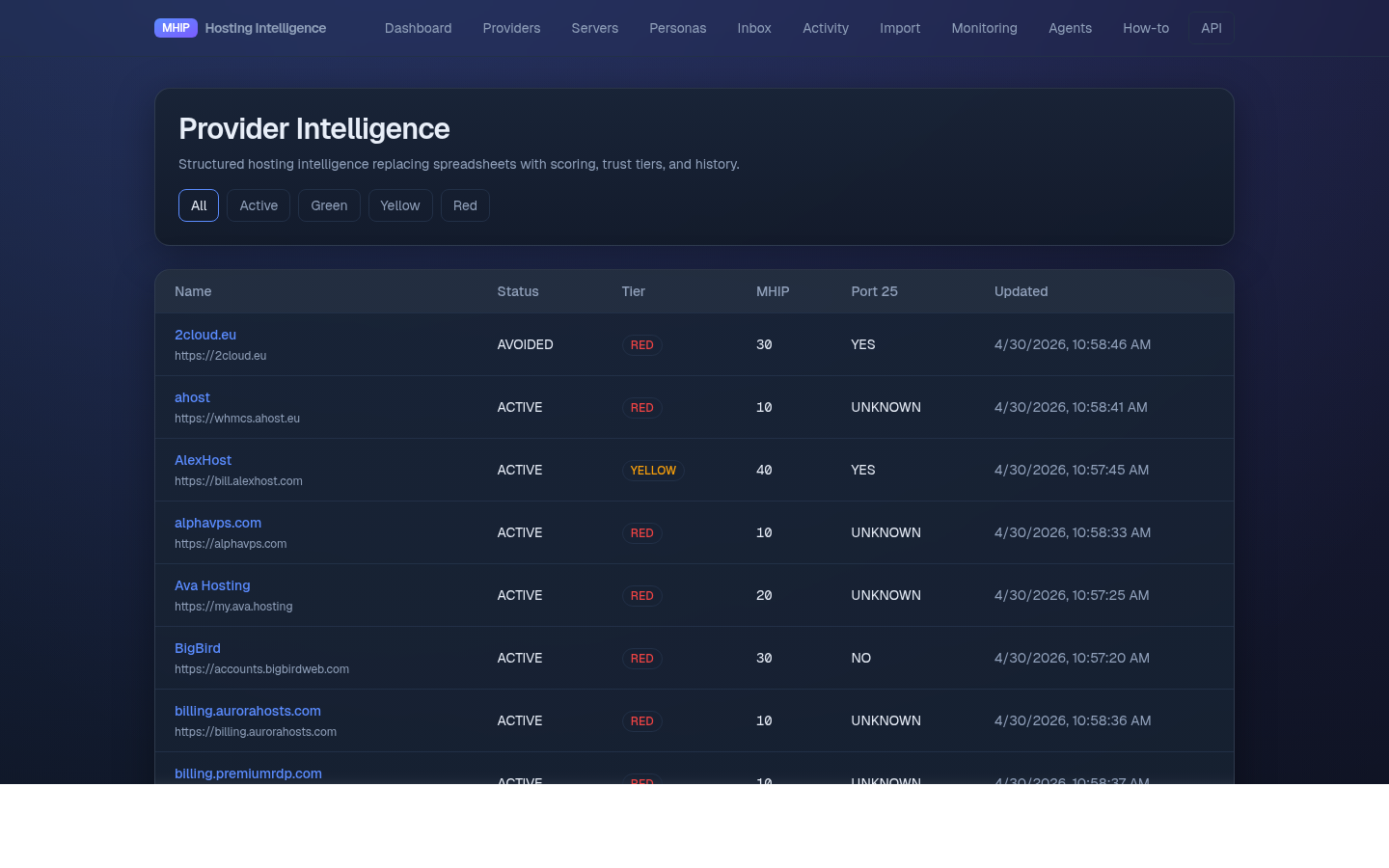
Filters at the top (All / Active / Green / Yellow / Red) match the spreadsheet's color
coding:
- Green — reliable, default-recommended
- Yellow — caution / unverified
- Red — avoid (fast-suspender, dirty IPs, payment issues)
6.2 The Servers page
http://localhost:3000/servers — the inventory.
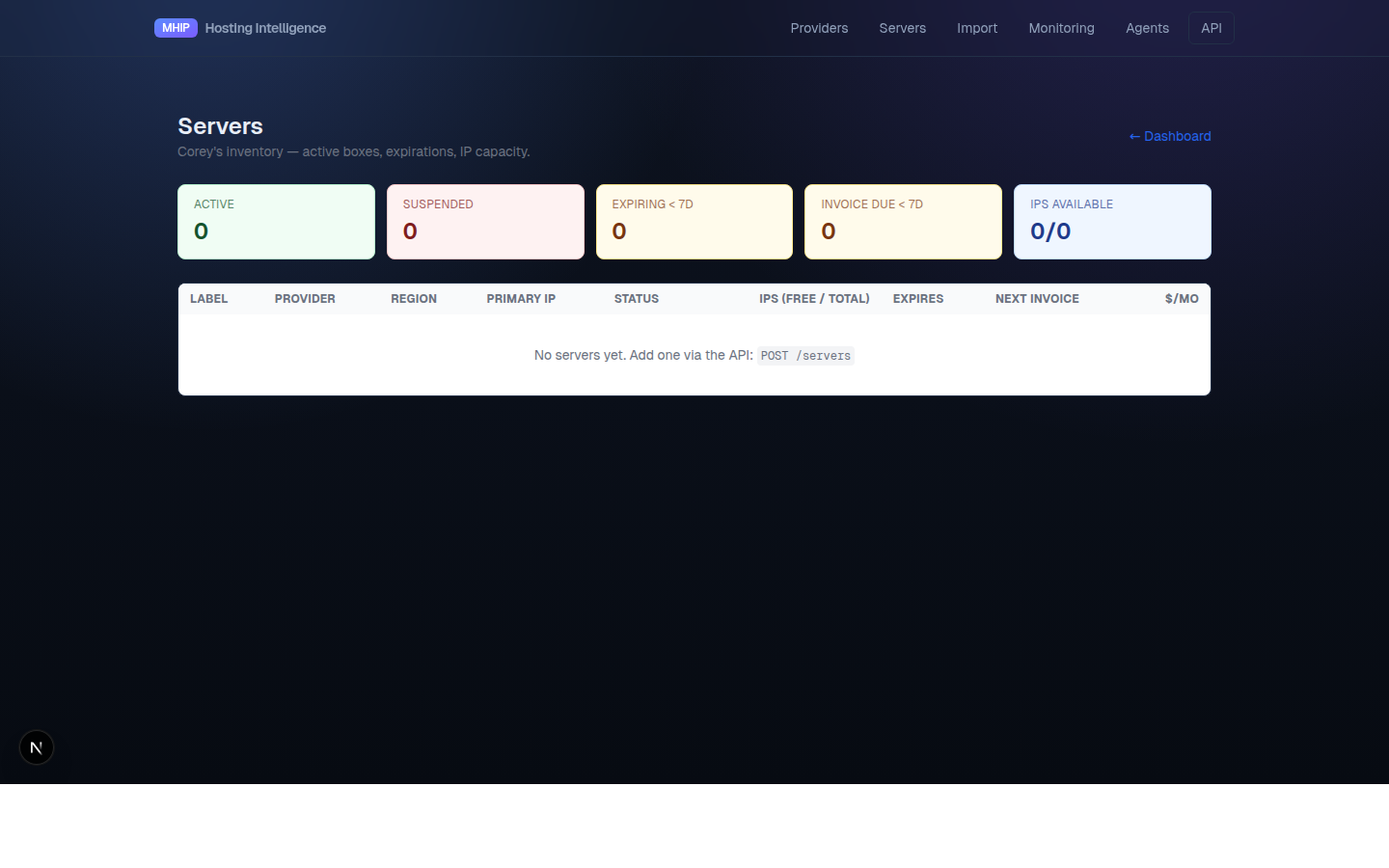
Five counters at the top:
- Active / Suspended — current status
- Expiring < 7d — servers whose
expiration_datefalls in the next week - Invoice due < 7d — servers whose
next_invoice_datefalls in the next week - IPs available —
total - allocated_to_clientacross non-retired blocks
The table sorts by soonest expiration first. When the daily sweep flags a server, it lands at the top.
6.3 The Import page
http://localhost:3000/import — drop in your Master_Business_File.xlsx to seed providers.
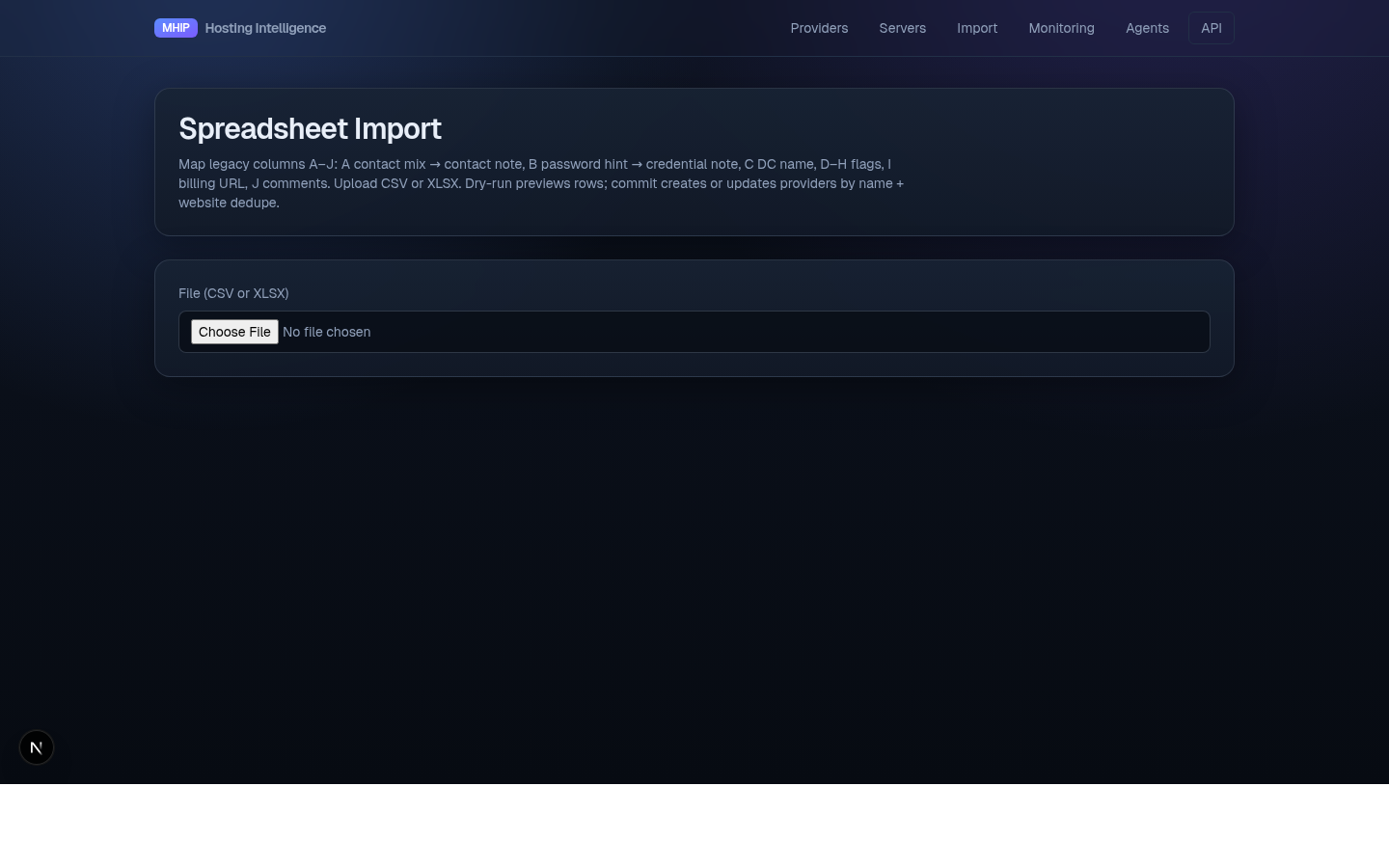
Always Dry Run first, eyeball the row count, then commit.
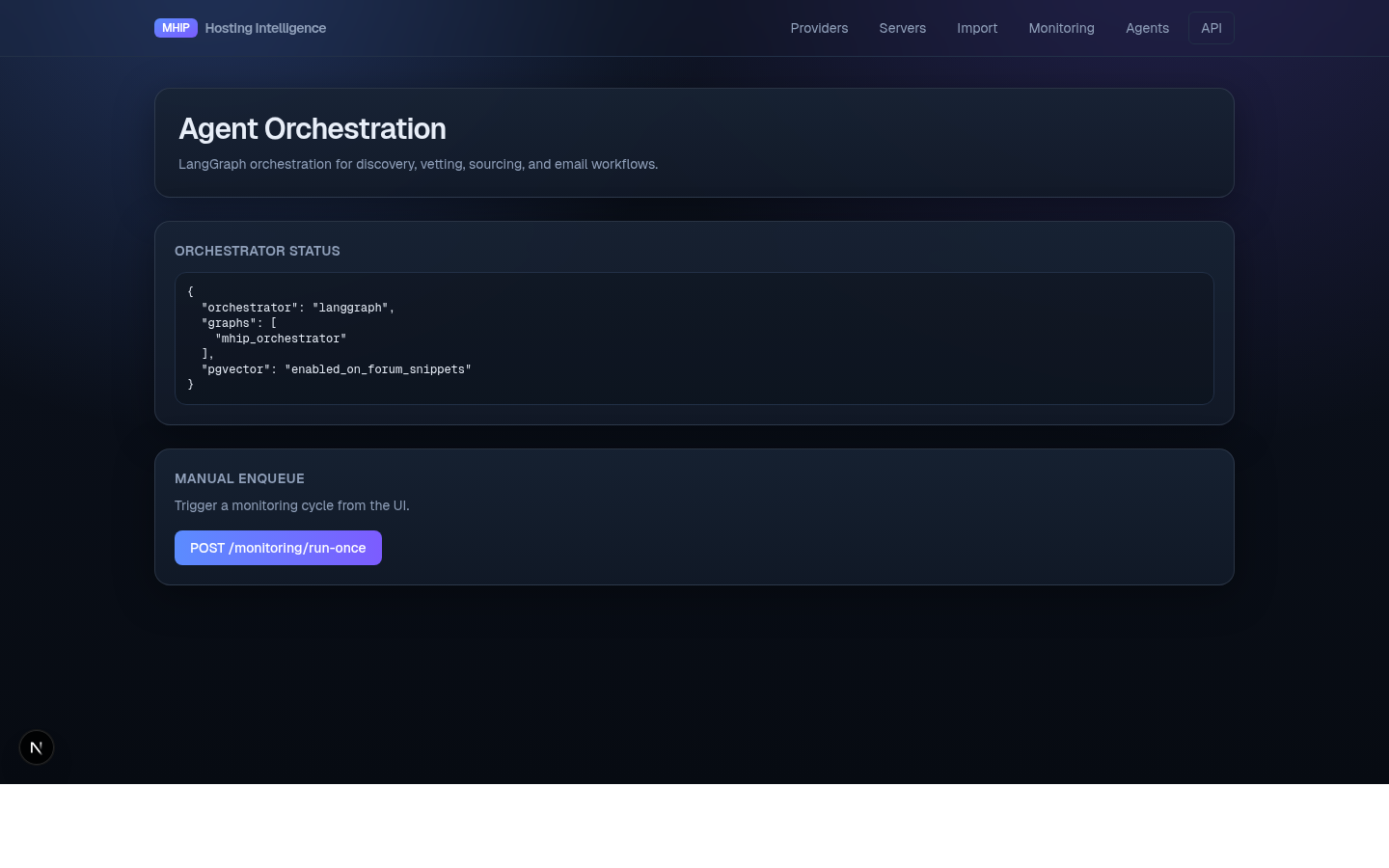
6.4 The Agents page
http://localhost:3000/agents — manual triggers for inbox poll, monitoring, etc. You should
rarely need it; the worker does this automatically. Useful for "I changed something and want
to see it now."
6.4b The Discovery page
http://localhost:3000/discovery — deals and providers surfaced by the Sourcing Agent.
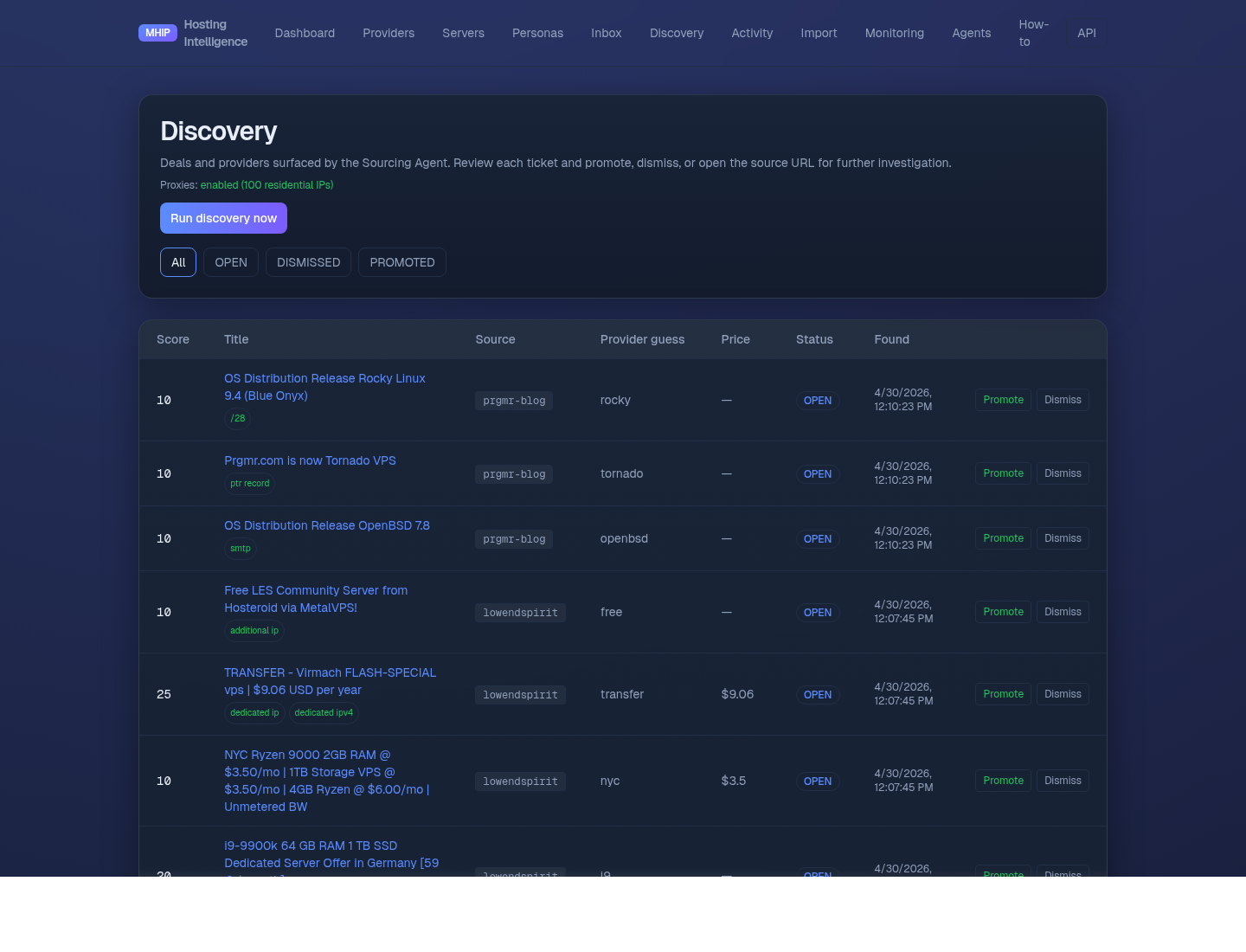
Every 6 hours (also runnable on demand via the Run discovery now button) the agent
fetches multiple feeds via a rotating residential proxy (webshare.io, ~100 sticky IPs
inherited from /opt/mailerclub/.env), scores each post against keyword signals
(port 25, dedicated ip, /29, etc.) and price tier, and creates an OPEN ticket for
anything that scores ≥ 5.
Active sources (~190 items per pull):
| Source | Type | Why |
|---|---|---|
| LowEndBox | RSS | Curated budget VPS deals, daily |
LowEndTalk /categories/offers | RSS | Provider-posted offers, ~100/feed |
| LowEndSpirit | RSS | Smaller community, niche providers |
| RackNerd blog | RSS | Direct deal announcements, BF/CM sales |
| prgmr.com blog | RSS | Niche provider, occasional deals |
The fetcher generalizes both RSS 2.0 and Atom, retries up to 8× with a fresh residential
IP on transient failures (403 / 407 / 429 / 5xx), and reports any feeds that exhaust
retries via the fetch_errors field on POST /discovery/run.
Disabled sources that need future work:
- Reddit (
r/webhosting,r/sysadmin,r/selfhosted) — Reddit hard-blocks webshare's residential ASN pool with 403 even viaold.reddit.com. To enable, register a Reddit app at https://www.reddit.com/prefs/apps, storeclient_id/client_secretin the vault, and swap the fetcher to OAuth athttps://oauth.reddit.com/r/{sub}/new. See theDISABLED_SOURCEStuple inapps/api/app/agents/discovery.py. - WebHostingTalk — Cloudflare's JS challenge blocks even residential IPs. Would need
a headless browser (Playwright with
playwright-stealth) or a managed scraper.
Operator workflow per ticket:
- Promote → mark for follow-up; future enhancement will auto-create a Provider record
- Dismiss → hide from default view (not deleted; visible under the
DISMISSEDfilter) - The title links to the source post; signal chips show which keywords matched
Why residential? Forum sites (LowEndTalk, WHT, Reddit) and Cloudflare aggressively
fingerprint datacenter ASNs, and we don't want providers to see every pricing page
viewed from the same VPS IP. Residential rotation keeps the recon quiet. Auth'd APIs
(Spamhaus, MXToolbox, AOL IMAP) bypass the proxy on purpose — see
apps/api/app/proxies.py for the rules.
6.4c The Catalog page
http://localhost:3000/catalog — structured product catalog assembled by the Catalog Agent.
Where Discovery looks at what's being announced this week (RSS), the Catalog
agent answers what's actually for sale right now by scraping each known
provider's billing URL daily at 02:00 (or on demand via Scan all providers).
Products land in provider_products with type PLAN | IP_ADDON | DEDICATED_BLOCK,
and price changes are appended to provider_product_prices so we can detect
"OneProvider just dropped /29 to $4" automatically.
Filters: All / Has IP add-on / by type. The "Has IP add-on" filter is the
one to use when fulfilling a MailerClub IP request — it shows products where
the agent detected +N IPs add-ons, multi-IP plans, or /28-/30 block options.
Fetch path: each scrape tries the shared adfetch service first
(/opt/mailerclub/adfetch, JS-rendering capable) and falls back to direct
HTTPS through a residential proxy when adfetch returns no usable HTML
(timeout or gzip-mangle on Content-Encoded responses). The error field on
each scan summary tells the operator which path served each URL.
Known limitations of v1:
- Adfetch returns gzip-encoded bytes verbatim for Content-Encoding: gzip responses — the JSON encoder mangles the binary, so we ignore that field and fall back. Fix would be in adfetch itself.
- The extractor is heuristic: it reads stripped-tag text and looks for price + plan keywords. Pages with prices loaded via JS-only render show zero candidates; consider running the agent through adfetch's Playwright worker for those.
- Cap of 80 candidates per page to avoid noise.
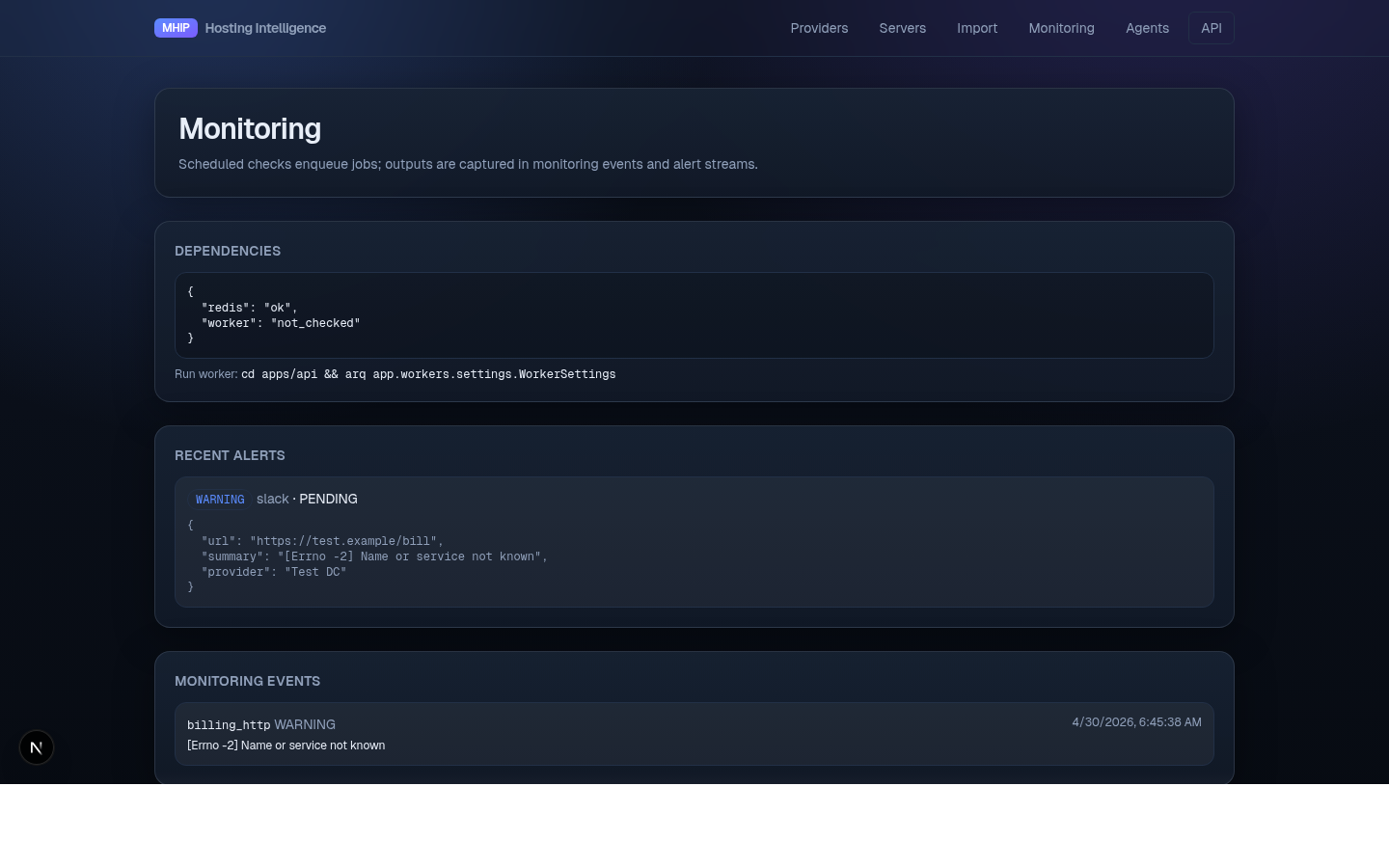
http://localhost:3000/monitoring — alert and event stream from the monitoring agent.
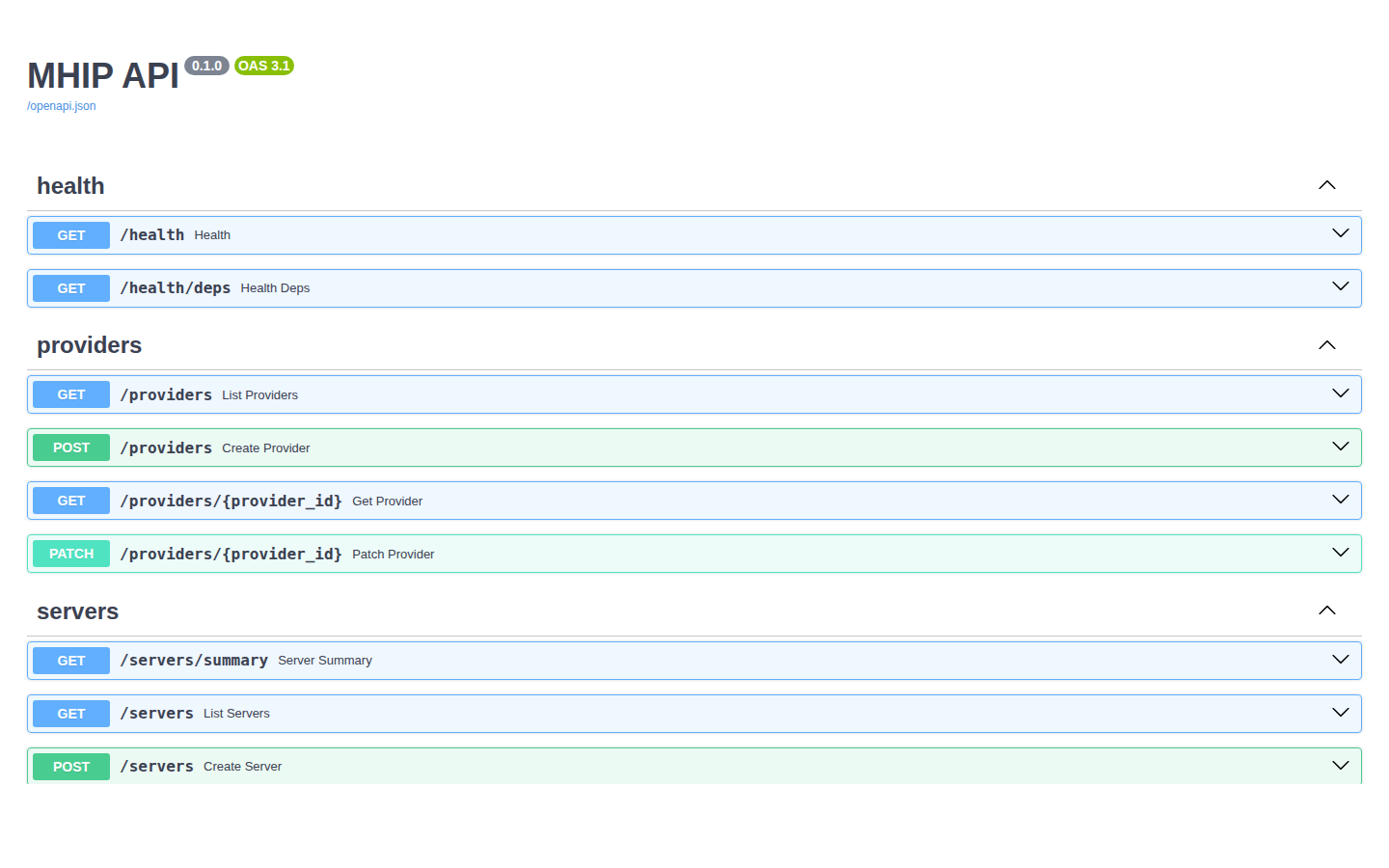
6.6 The API explorer
http://127.0.0.1:8000/docs — every endpoint, every schema, with "Try it out" buttons.
7. Importing the Legacy Spreadsheet
The original Master_Business_File.xlsx columns map as follows:
| Spreadsheet column | DB field |
|---|---|
| A (mixed contact/login) | parsed into provider_contacts and provider_credentials |
| B (password hint) | provider_credentials.username (manual review recommended) |
| C — DC NAME | providers.name |
| D — Open Port 25? | provider_technical_specs.open_port_25 |
| E — Tunneled? | provider_technical_specs.tunneled_ips |
| F — Clean IPs | provider_technical_specs.clean_ips |
| G — rDNS | provider_technical_specs.rdns_available |
| H — Instant | provider_technical_specs.instant_provision |
| I — Link | providers.billing_url |
| J — Comments | provider_notes (a row per category guessed from text) |
| K — Server label (optional) | servers.label |
| L — Server primary IP (optional) | servers.primary_ip |
| M — Expiration date (optional) | servers.expiration_date |
| N — Monthly cost USD (optional) | servers.monthly_cost_usd |
| O — Panel URL (optional) | servers.panel_url (overrides provider billing URL for this server) |
| Row color | providers.trust_tier (GREEN / YELLOW / RED) |
If any of K–O is non-empty, a Server record is created and linked to the
provider on that row. Otherwise only the provider is seeded — old
spreadsheets keep working unchanged.
Use the dashboard's Import page or:
curl -F file=@Master_Business_File.xlsx \
  "http://127.0.0.1:8000/import/spreadsheet?dry_run=true"
8. Adding Servers and IP Blocks
Once a provider exists, log a server you bought from them:
PROVIDER_ID="$(curl -s 'http://127.0.0.1:8000/providers' | jq -r '.[0].id')"

curl -X POST http://127.0.0.1:8000/servers \
  -H "Content-Type: application/json" \
  -d @- <<EOF
{
  "provider_id": "$PROVIDER_ID",
  "label": "OP-AMS-01",
  "hostname": "vps01.example.com",
  "primary_ip": "185.220.100.10",
  "region": "EU-Amsterdam",
  "plan_name": "Dedicated 2700",
  "monthly_cost_usd": 89.00,
  "status": "ACTIVE",
  "signup_date": "2026-04-01",
  "expiration_date": "2027-04-01",
  "next_invoice_date": "2026-05-01",
  "ips_included": 1,
  "ips_addon_purchased": 4,
  "panel_url": "https://oneprovider.com/portal",
  "panel_username": "corey-1234",
  "panel_password_vault_ref": "providers/oneprovider/billing"
}
EOF
For now, IP blocks are added directly via SQL or a future router (POST /ip-blocks):
INSERT INTO ip_blocks (id, server_id, cidr, ip_version, asn, region, health_status,
                       allocated_to_client, acquired_date)
VALUES (gen_random_uuid(),
        '<server-uuid>',
        '185.220.100.8/29',
        'IPv4',
        'AS12345',
        'EU-Amsterdam',
        'CLEAN',
        'MailerClub',
        '2026-04-01');
After insert, GET /servers/summary updates immediately — IP counts are derived live.
9. API Reference (Quick)
The full schema is at /docs. Most-used endpoints:
| Method | Path | Purpose |
|---|---|---|
| GET | /health | Liveness check |
| GET | /providers | List providers (filters: status, trust_tier) |
| GET | /providers/{id} | Detail with notes, history, contacts |
| POST | /providers | Create |
| PATCH | /providers/{id} | Partial update |
| GET | /servers | List (filters: status, provider_id, expiring_in_days) |
| GET | /servers/summary | Top-of-page counters |
| POST | /servers | Create |
| PATCH | /servers/{id} | Partial update — flip status, set expiration, etc. |
| GET | /inbox | Recent classified messages (filters: classification, provider_id) |
| GET | /inbox/summary | Total + per-class counts + last received |
| GET | /agents/email/status | Is IMAP wired? |
| POST | /agents/email/poll | Force a poll right now |
| POST | /import/spreadsheet?dry_run=true | Multipart upload for legacy XLSX |
10. Troubleshooting
"IMAP not configured"
# 1. Vault key present?
ls -la /opt/hosting-crm/vault/.master.key  # mode 600, ~45 bytes

# 2. AOL secret present?
python -m app.vault.setup list | grep aol

# 3. .env points at the right ref?
grep ^IMAP /opt/hosting-crm/.env
"AUTHENTICATIONFAILED"
The AOL app password was rejected. AOL invalidates app passwords on certain account
events — generate a fresh one (§4.1) and re-store it (python -m app.vault.setup put aol/imap-password). The next inbox_tick will succeed.
Worker not running new jobs
# Did you bounce the worker after editing workers/settings.py? It loads cron at startup.
ps aux | grep "arq app.workers"
If you see only one entry and it's stale, kill it and re-launch.
Migration drift
cd /opt/hosting-crm/apps/api && source .venv/bin/activate
alembic current   # latest applied
alembic heads     # latest available
alembic upgrade head
Servers page shows 404
Make sure the API has been restarted since apps/api/app/routers/servers.py was added.
sudo pkill -f "uvicorn app.main:app"
# (your supervisor restarts it; otherwise relaunch by hand)
curl -s http://127.0.0.1:8000/openapi.json | jq '.paths | keys[]' | grep server
"address already in use" on :3000
Another Next.js app on the host is bound to 3000 (e.g. the MailerClub editor). Run MHIP web on a different port:
cd /opt/hosting-crm/apps/web
npx next dev --port 3001
# then visit http://localhost:3001
11. Appendix — Cron Schedule
The worker's effective schedule, as set in apps/api/app/workers/settings.py:
| Time (server local) | Job | Why |
|---|---|---|
*/5 * * * * | inbox_tick | Pull and classify new AOL mail every 5 minutes |
0,15,30,45 * * * * | monitoring_tick | HEAD billing panels every quarter hour |
10 0,6,12,18 * * * | sourcing_tick | Deal scan four times a day |
0 9 * * * | expiration_sweep | Renewal/invoice alerts at 09:00 daily |
To change cadence, edit WorkerSettings.cron_jobs and restart the worker.
End of guide. When something is unclear, the hierarchy is: this doc → API at /docs →
the source under apps/api/app/. Most non-obvious decisions are commented at their site.